繁體版简体版

Contact Us

How to copy a selected address list from the application history

Step 1:
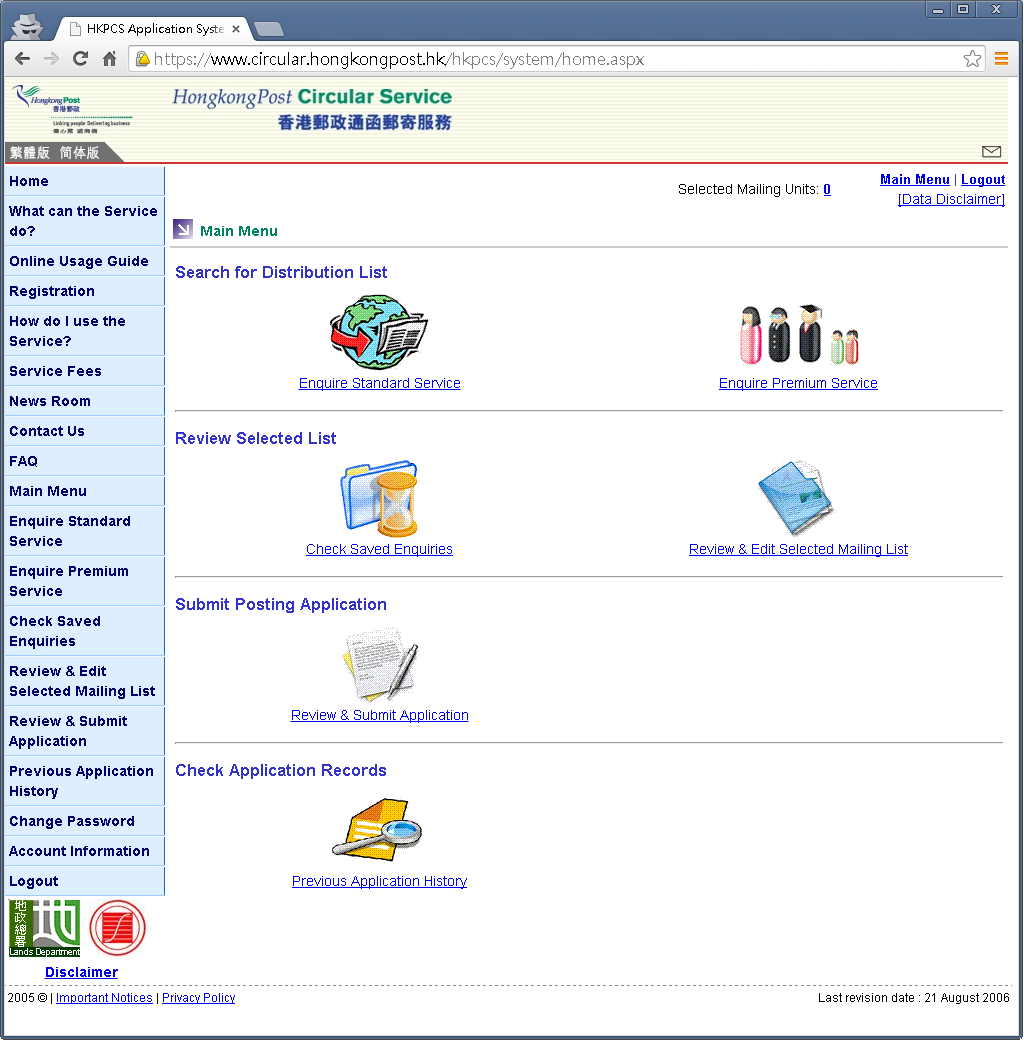
  • The addresses selected in any of the past applications can be copied to the current list. User can use the [Previous Application History] function to search for any past application.
  • Click on the [Previous Application History] button

Step 2:
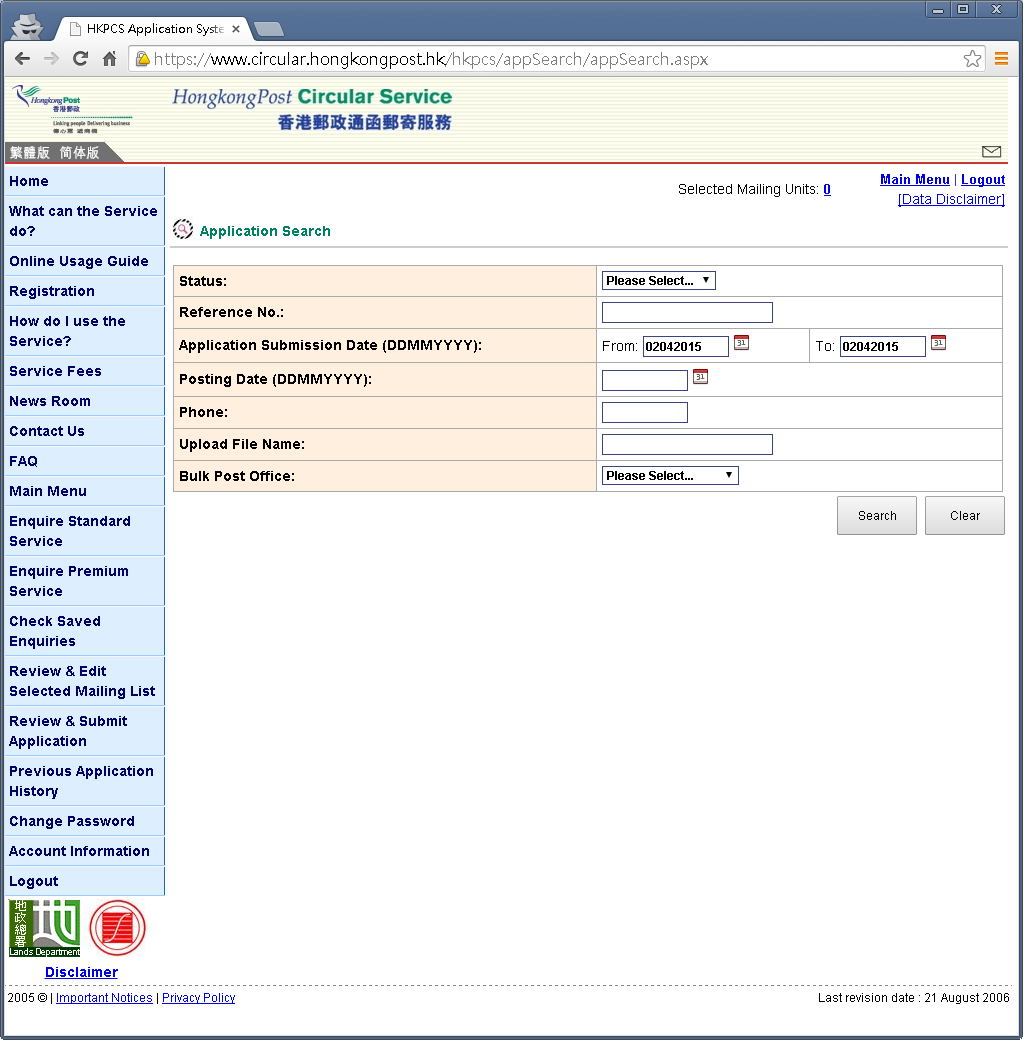
  • Enter searching criteria and click on the [Search] button.

Step 3:
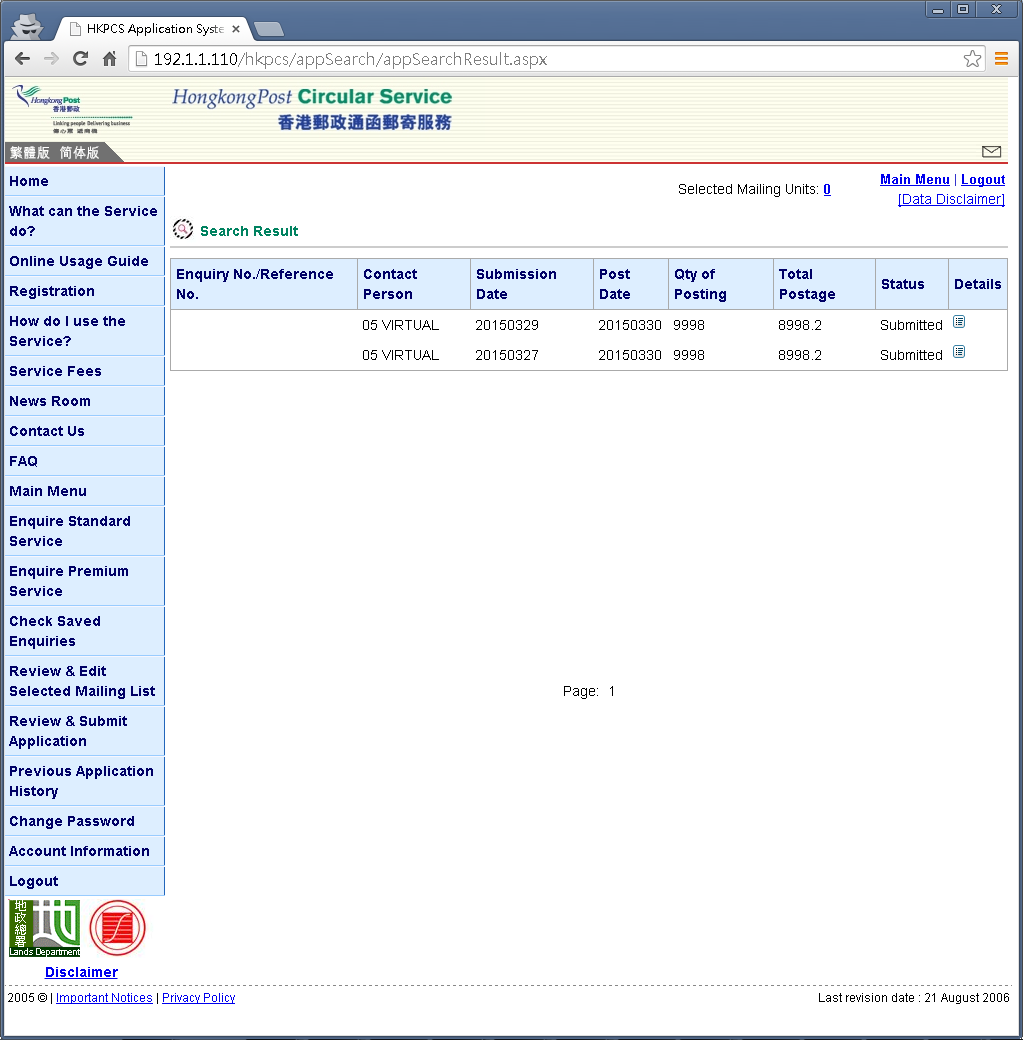
  • Click on the [Detail] icon of the selected record.

Step 4:
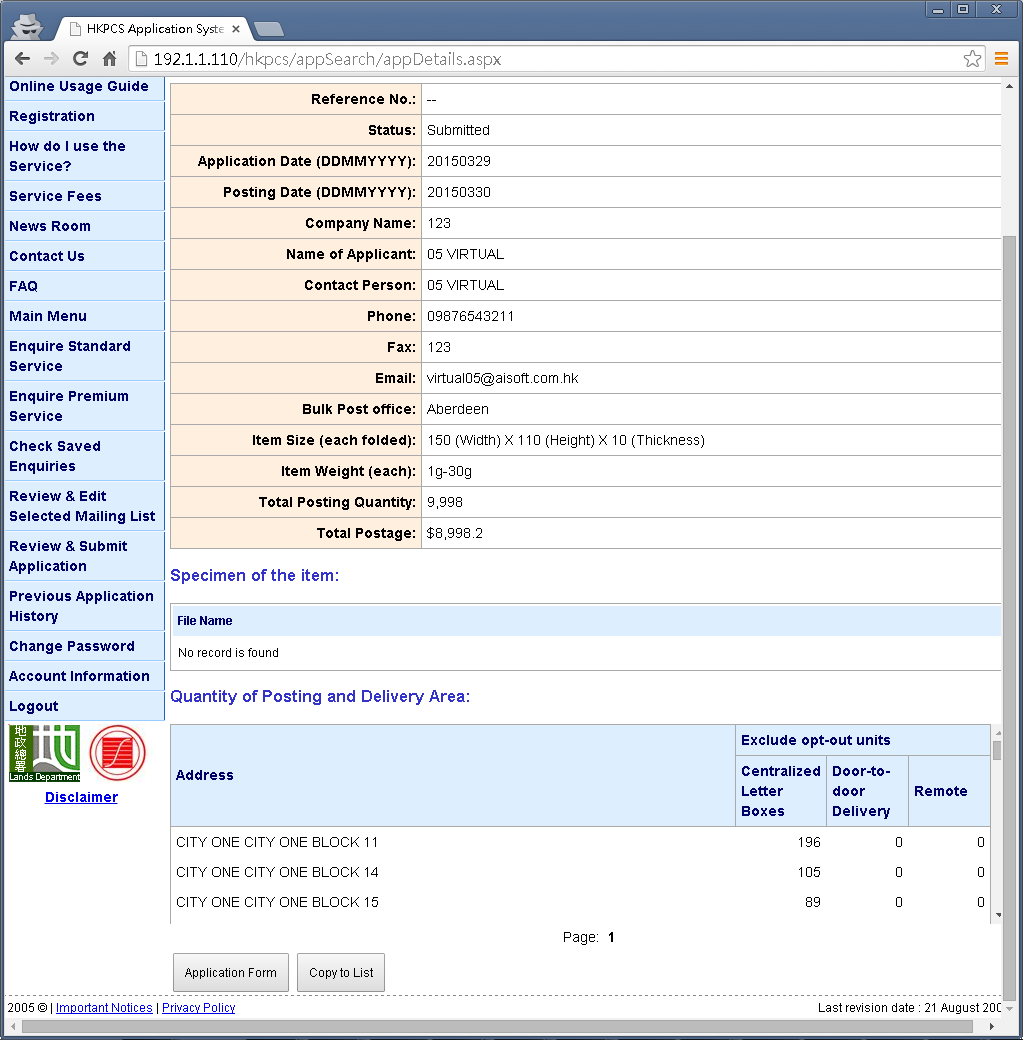
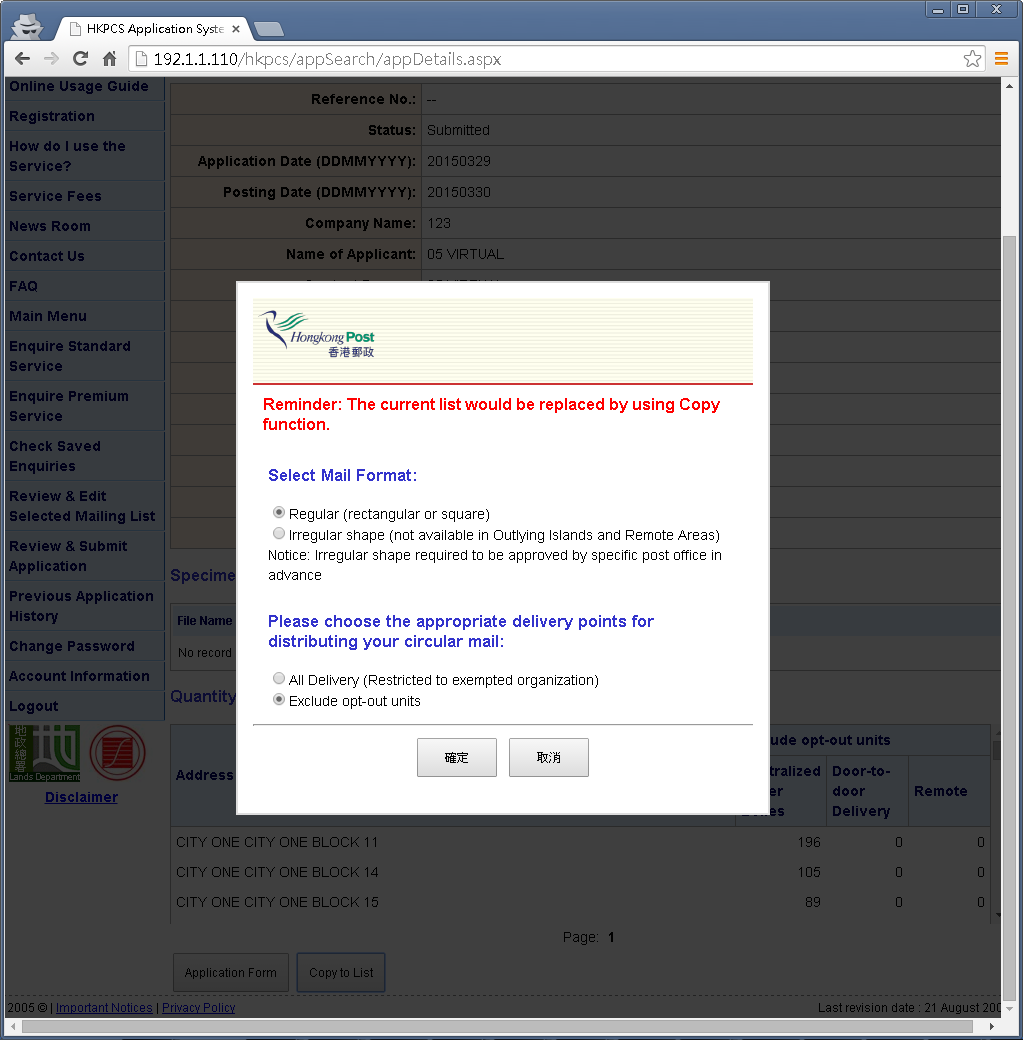
  • Click on the [Copy to List] button to copy the previous selected address list to the address list of the current application.

Step 5:
  • Select the mail format and the delivery points for the current application.
  • The selected mailing units will be updated. User can continue to edit and submit the current application.
Valid XHTML 1.0 Transitional Valid CSS!
Loading
Loading...