To main content
Home
Featured Deals
New Address Enquiry
Target Customer Filtering Function
What can the Service do?
Online Usage Guide
Registration
How do I use the Service?
Service Fees
Contact Us
FAQ
How to create premieum service enquiry
Search by PrismGeo
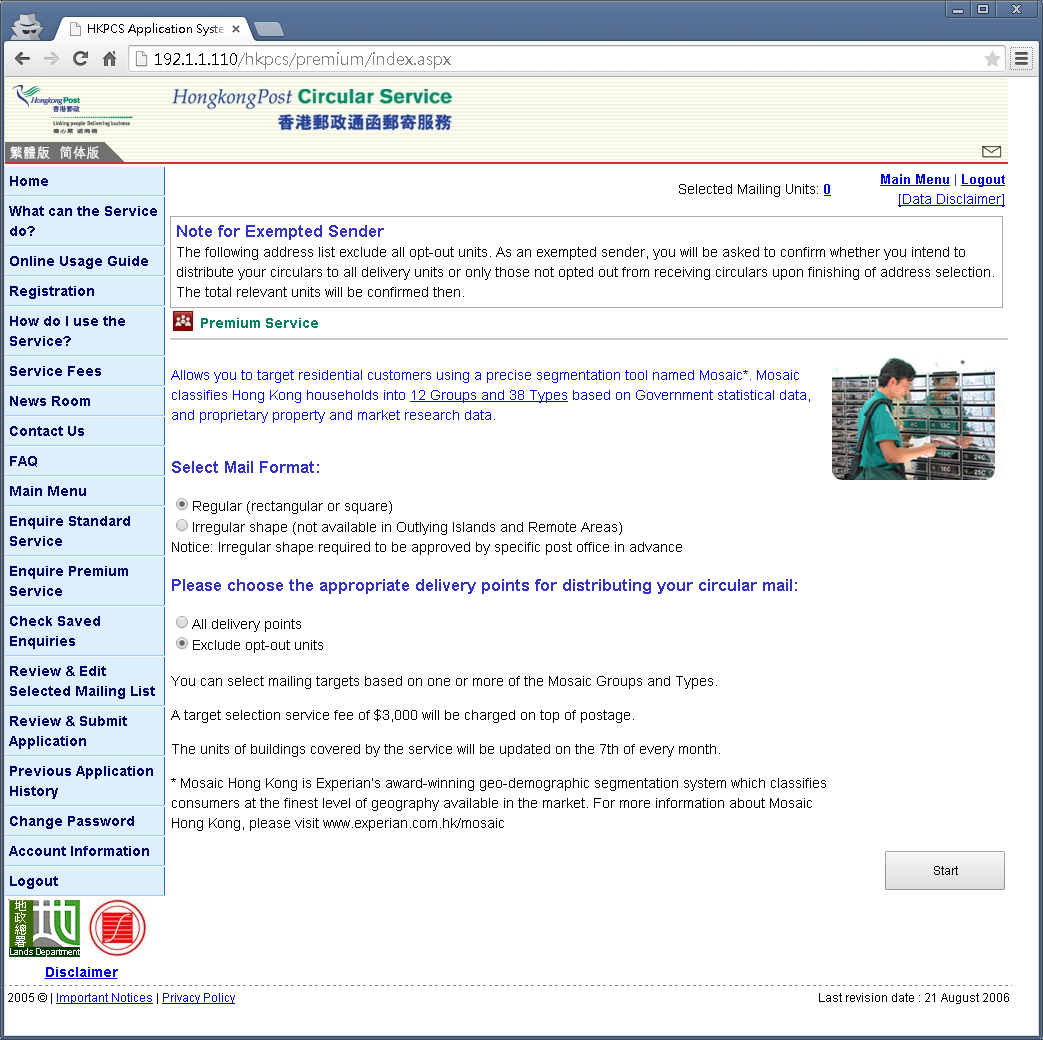
Step 1:
Click
[Enquire Premium Service]
button in main menu
Select Mail Format
Select delivery point
Click
[Search by PrismGeo]
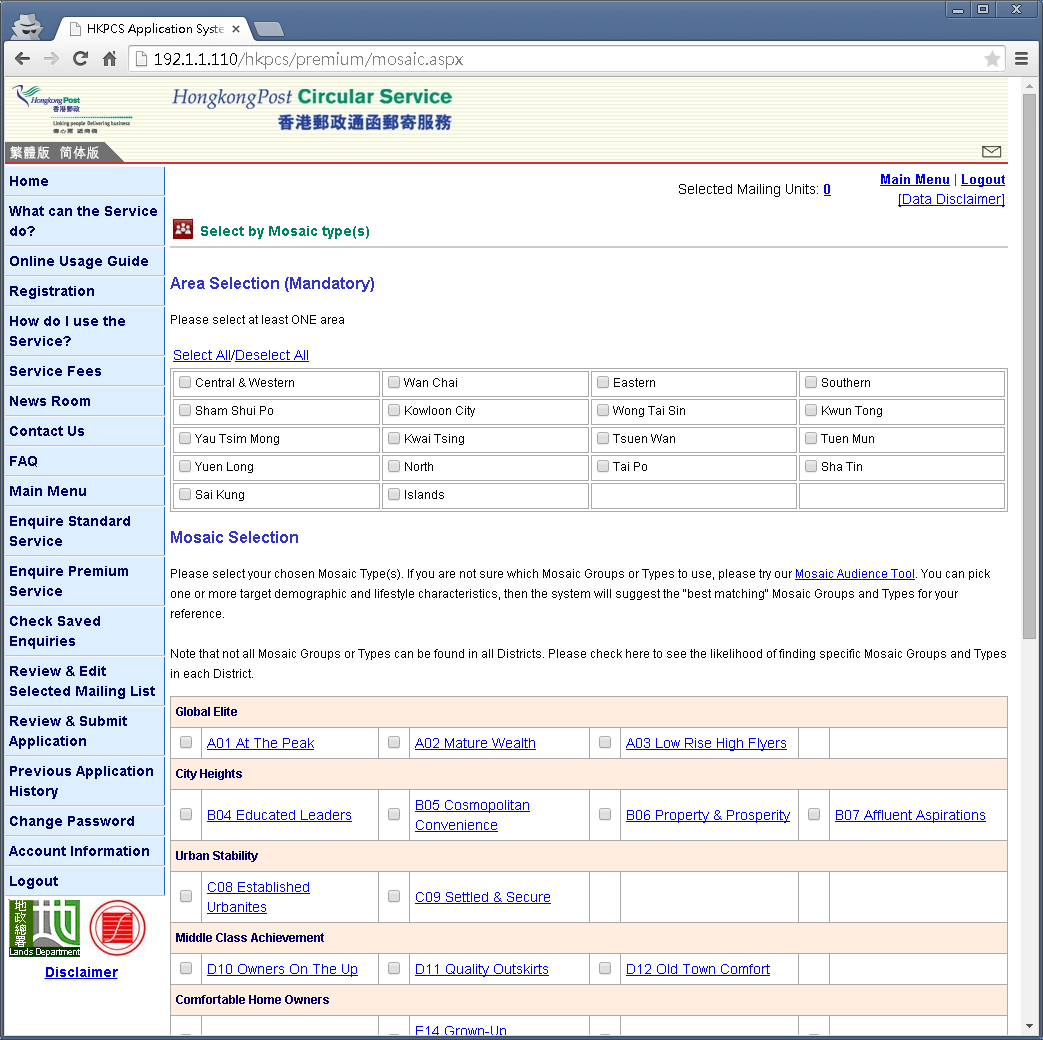
Step 2:
Select posting district
Select PrismGeo type
Click [Continue] button
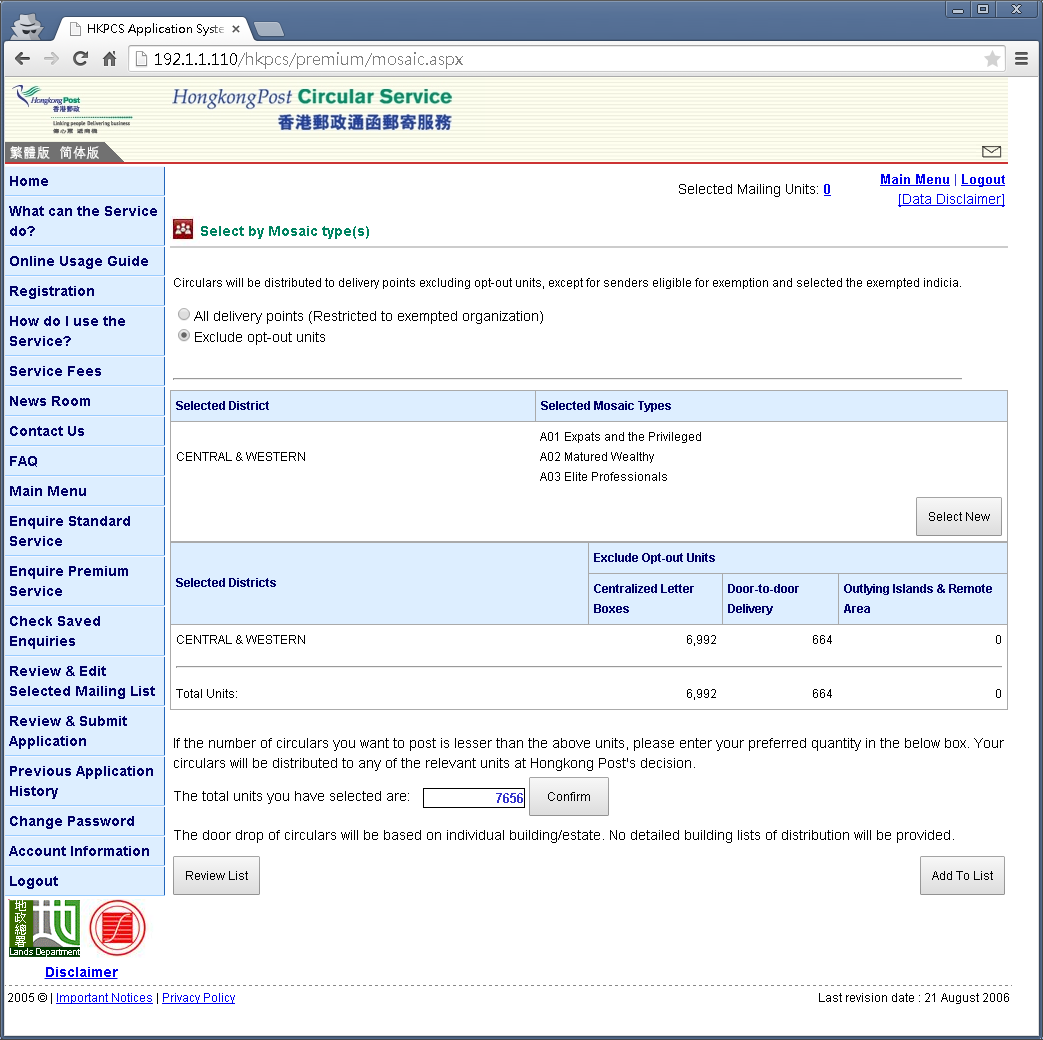
Step 3:
System will calculate the posting unit for select district and PrismGeo type
Use can adjust the target posting unit if required, click [Confirm] button
Important Notices
|
Privacy Policy
Loading...