繁體版简体版

Contact Us

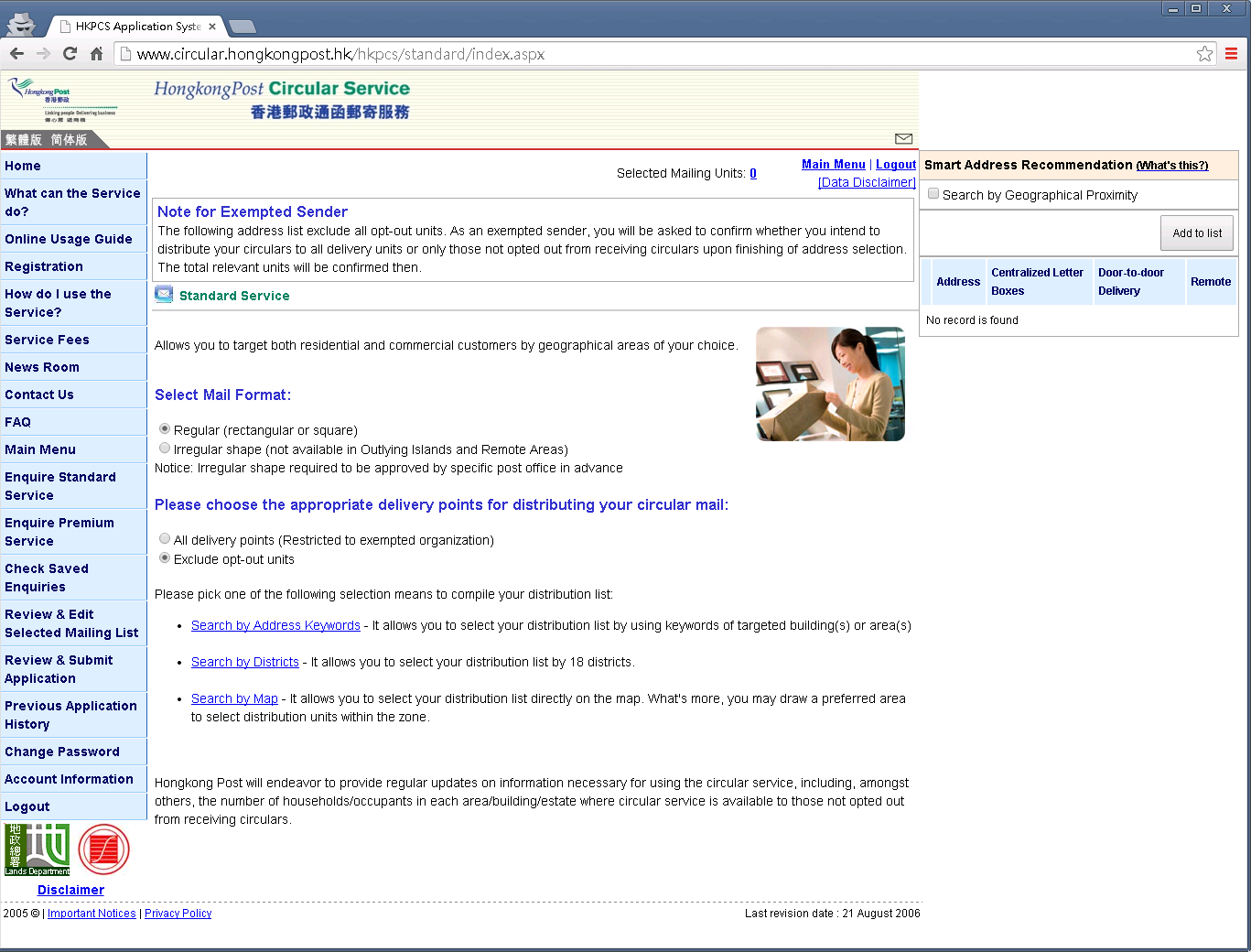
How to create standard service enquiry

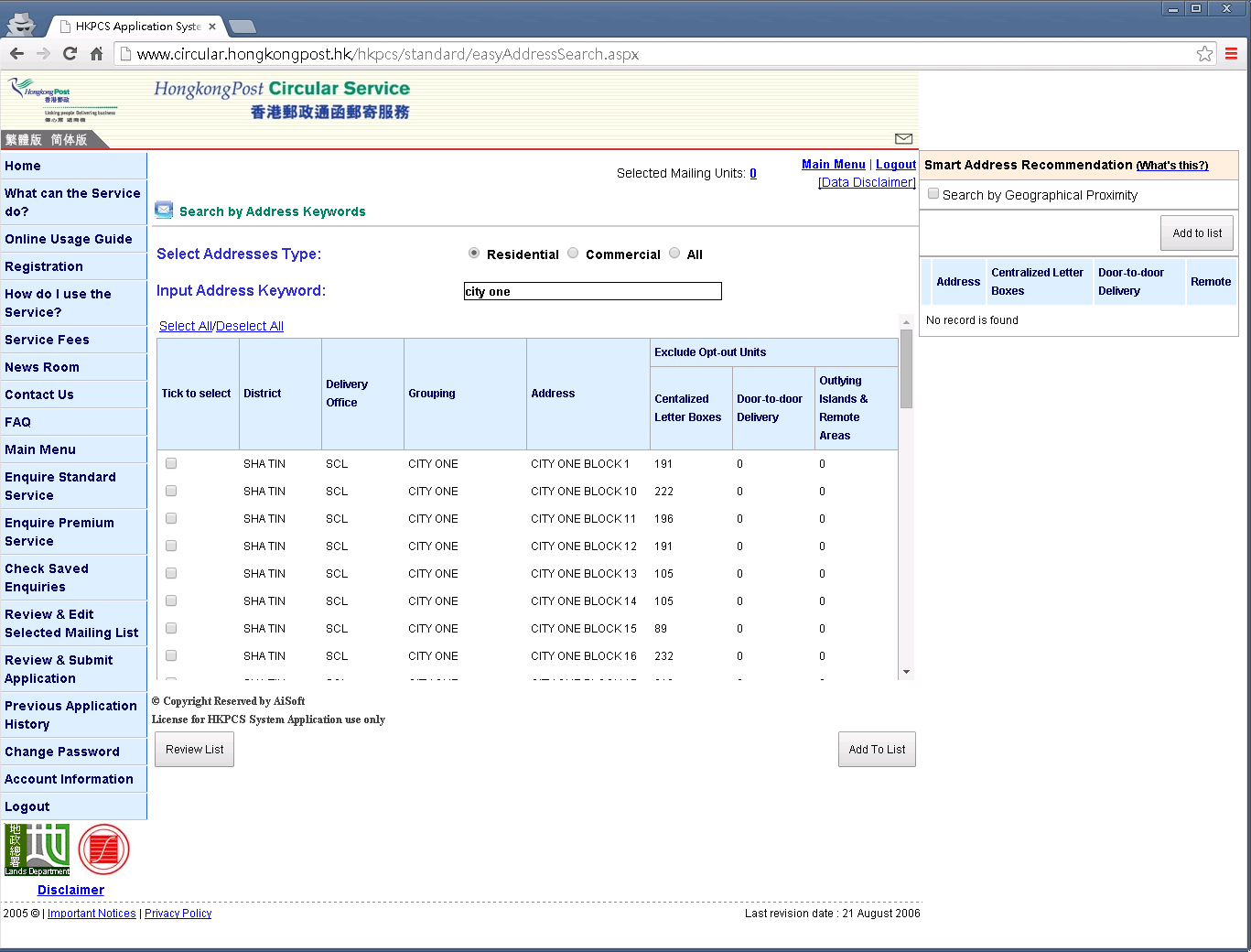
Search by Address Keywords
Step 1:
  • Click [Enquire Standard Service] button in main menu
  • Select Mail Format
  • Select address type
  • Click [Search by Address Keywords]

Step 2:
  • Input the address keyword
  • System will list the similar addresses
  • Related addresses will also be listed out
  • Tick the required addresses
  • Click [Add to List] button

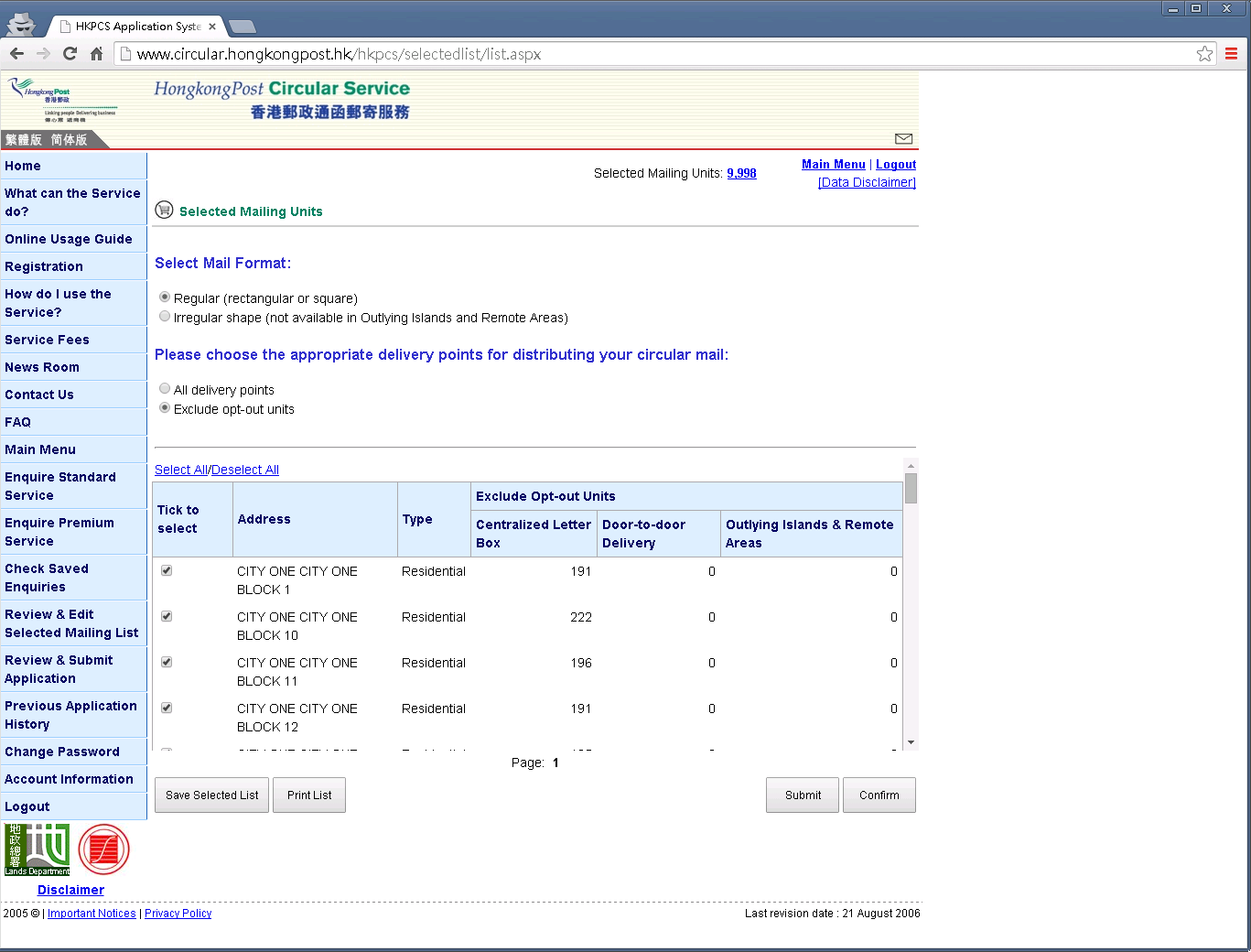
Step 3:
  • If addresses is selected
  • Click [Review List] button

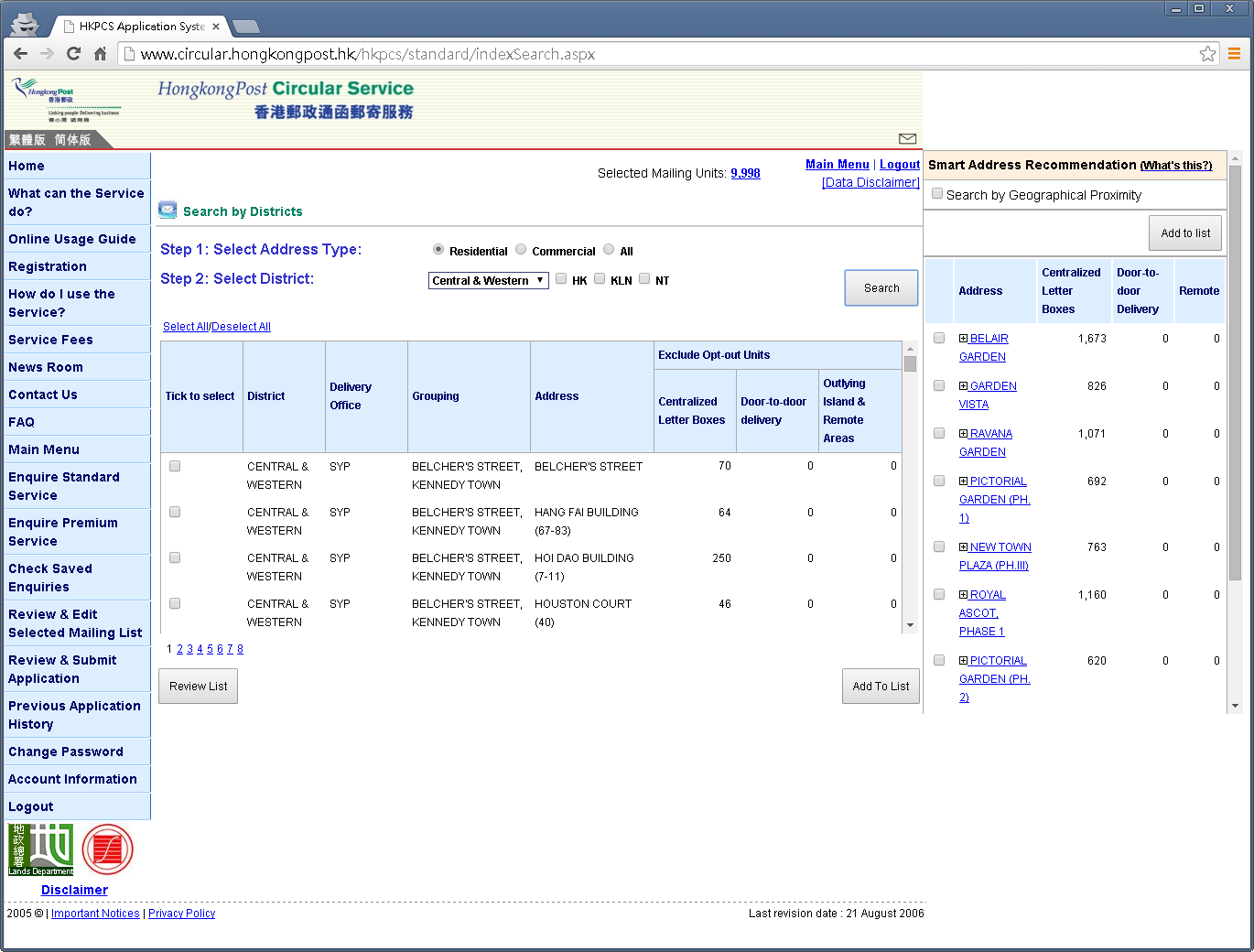
Search by Districts
Step 1:
  • Click [Enquire Standard Service] button in main menu
  • Select Mail Format
  • Select address type
  • Click [Search by Districts]

Step 2:
  • Select district
  • Click [Search] button
  • Matched addresses will be listed
  • Tick the required addresses
  • Click [Add to List] button

Step 3:
  • If addresses is selected
  • Click [Review List] button

Search by Map
Step 1:
  • Click [Enquire Standard Service] button in main menu
  • Select Mail Format
  • Select address type
  • Click [Search by Map]

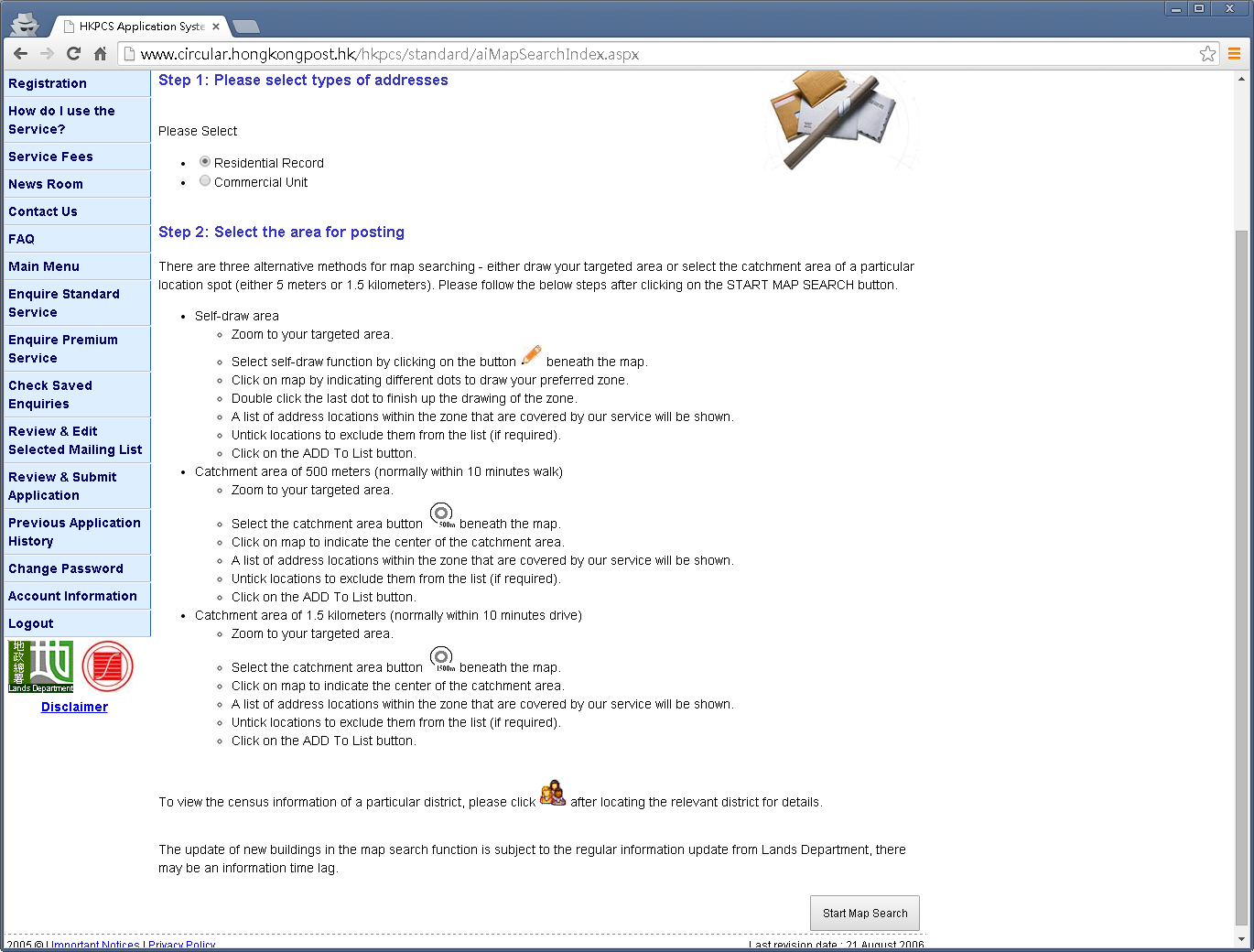
Step 2:
  • Read the instruction first
  • Select address type
  • Click [Start Map Search] button

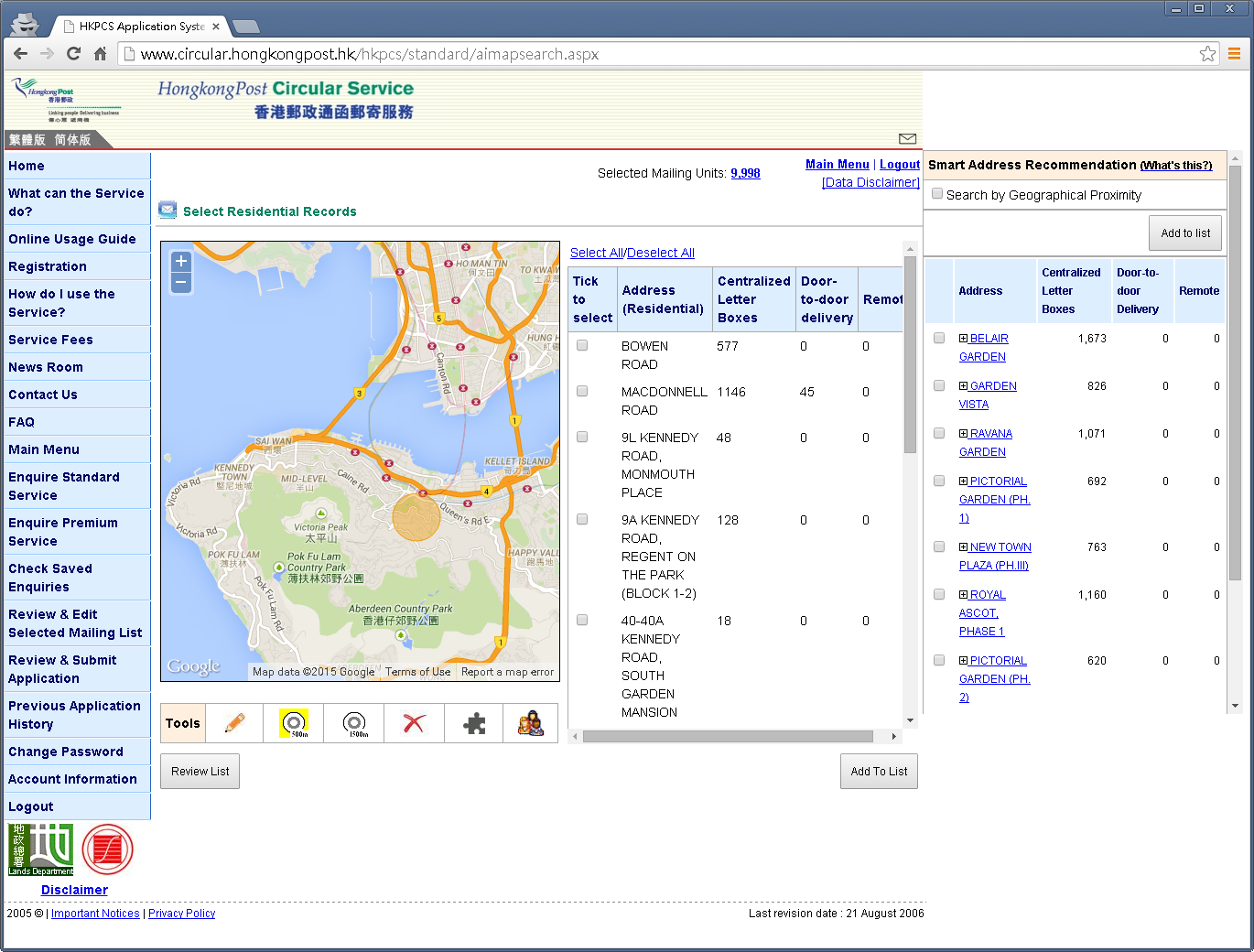
Step 3:
  • Use tools (Self drawn,500m Buffer,1.5km Buffer) to draw posting coverage
  • Addresses within the area will be listed
  • Tick the required addresses
  • Click [Add to List] button

Step 4:
  • If addresses is selected
  • Click [Review List] button
Valid XHTML 1.0 Transitional Valid CSS!
Loading
Loading...